Prosper v1.0
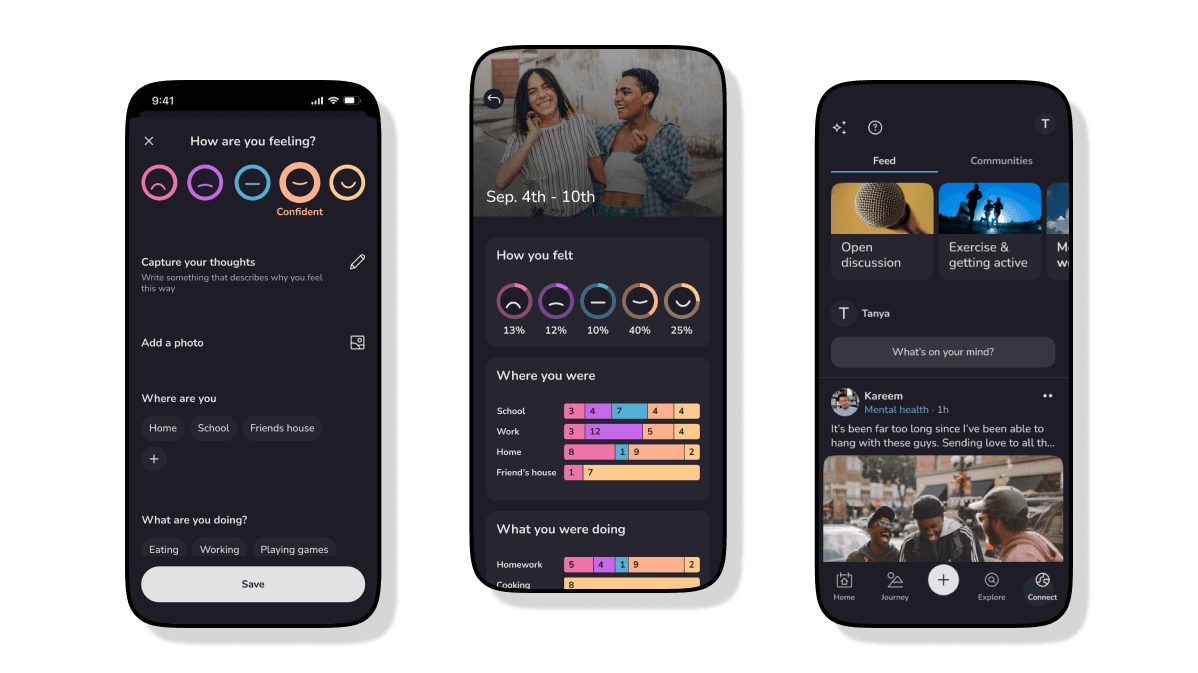
Prosper is an iOS and Android app that provides personalized self-care tools, resources, and a social network to support your health journey. As the founding designer on a small 3-person development team, my tasks are varied and dynamic but ultimately culminate in the crafting of our design & brand systems and product experiences.
Problem
A disconnect between payers, providers and other stakeholders in the broader healthcare ecosystem with the youth population is leading to a lack of effective solutions for managing and improving the overall well-being among young people, especially those with SDOH challenges.
Founding idea
The founders wanted to create an engaging platform that provides bi-directional engagement between users of the app and organizations within the healthcare and wellness spaces, and feature self-help resources and tools that can assist people struggling with mental health, pre-diabetes, and psychosocial challenges.
My job was to make an app that young people would want to engage with.
The solution
Mood Tracking and Insights
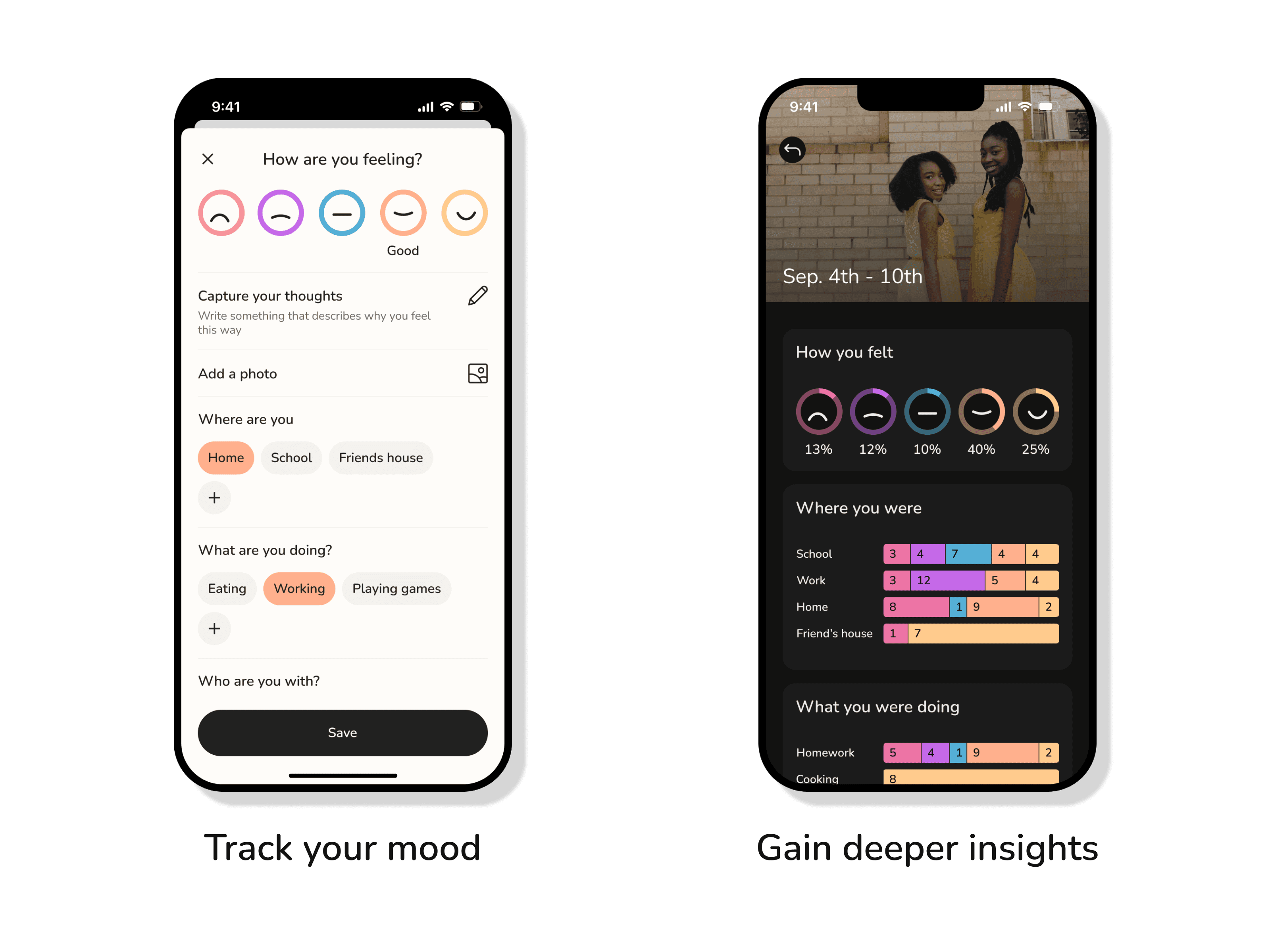
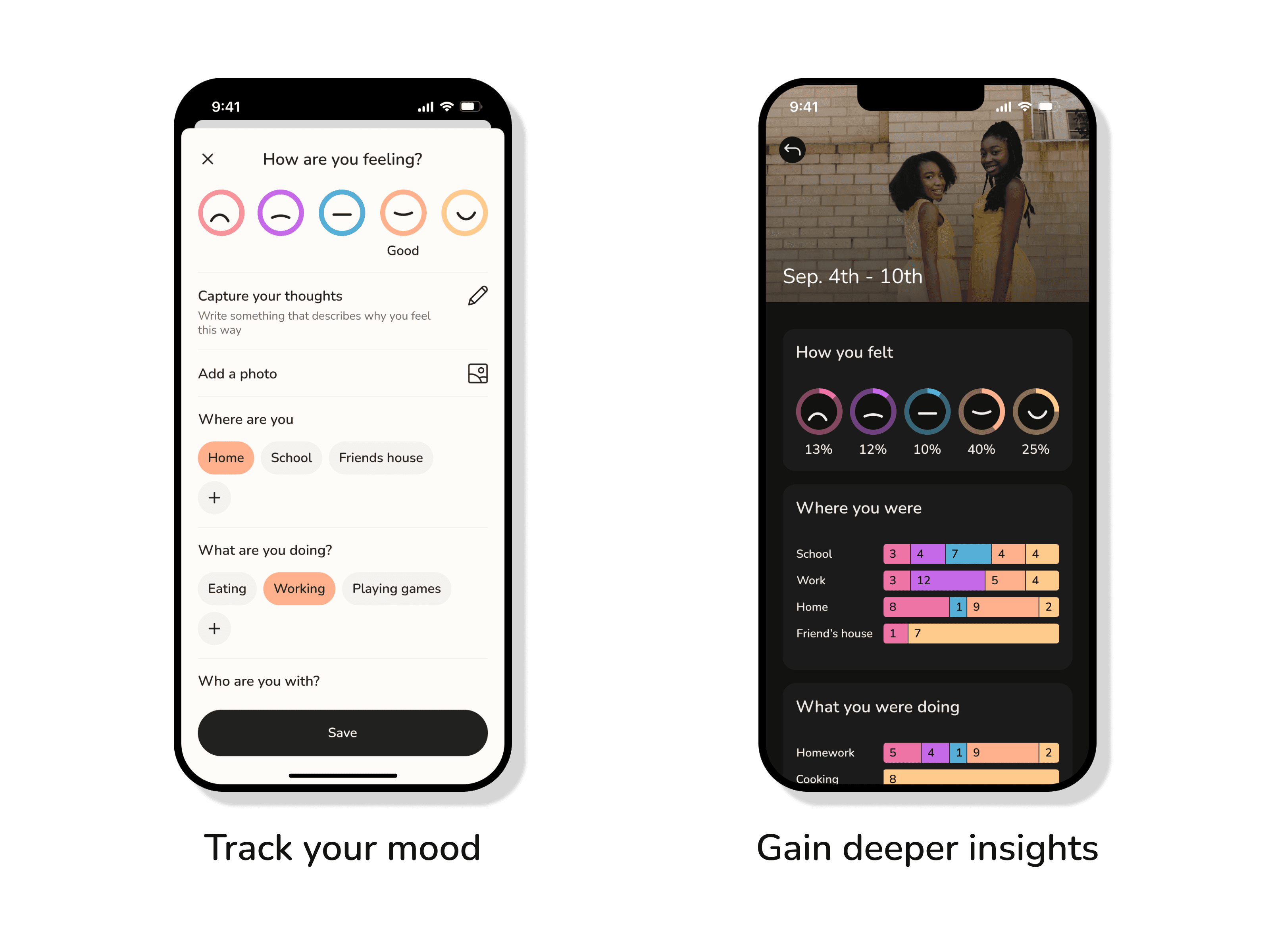
'Checking in' by logging how you're feeling alongside contextual information allowed us to offer insights into why you're were feeling that way over time.
 Mood Tracking
To encourage users to check in, we ultimately landed on a weekly calendar-style view that displays your selected mood entry for that day. A day with no check in displayed a button with dotted-circle icon with a centered question mark as a dynamic entry point. Users can also check in via the FAB on the tab bar.
Prosper - Mood check in
A 1-5 mood scale is the only required input. All other contextual fields (location, activity, excersize, sleep, journal, and image) are optional.
From our discovery sessions we learned that the type of information people were interested in recording varied widely, and above all else, they valued speed.
Later, we would add more emphasis to the image capture field as further testing revealed a significant uptick in retention with users who frequently used images, and more widely, increase in engagement with other features that utilized the images.
Prosper - Journey
After a threshold of 3 check-ins were met, users unlocked the Journey feature. Here they're able to see a breakdown of their mood entries at Day, Week, Month, and Year abstractions.
This pattern borrowed from how Apple Photos organized your images at the time. If we were making users wait to the Journey feature, we wanted the UI to feel immediately intuitive with very little learning curve needed.
A social network for your wellness
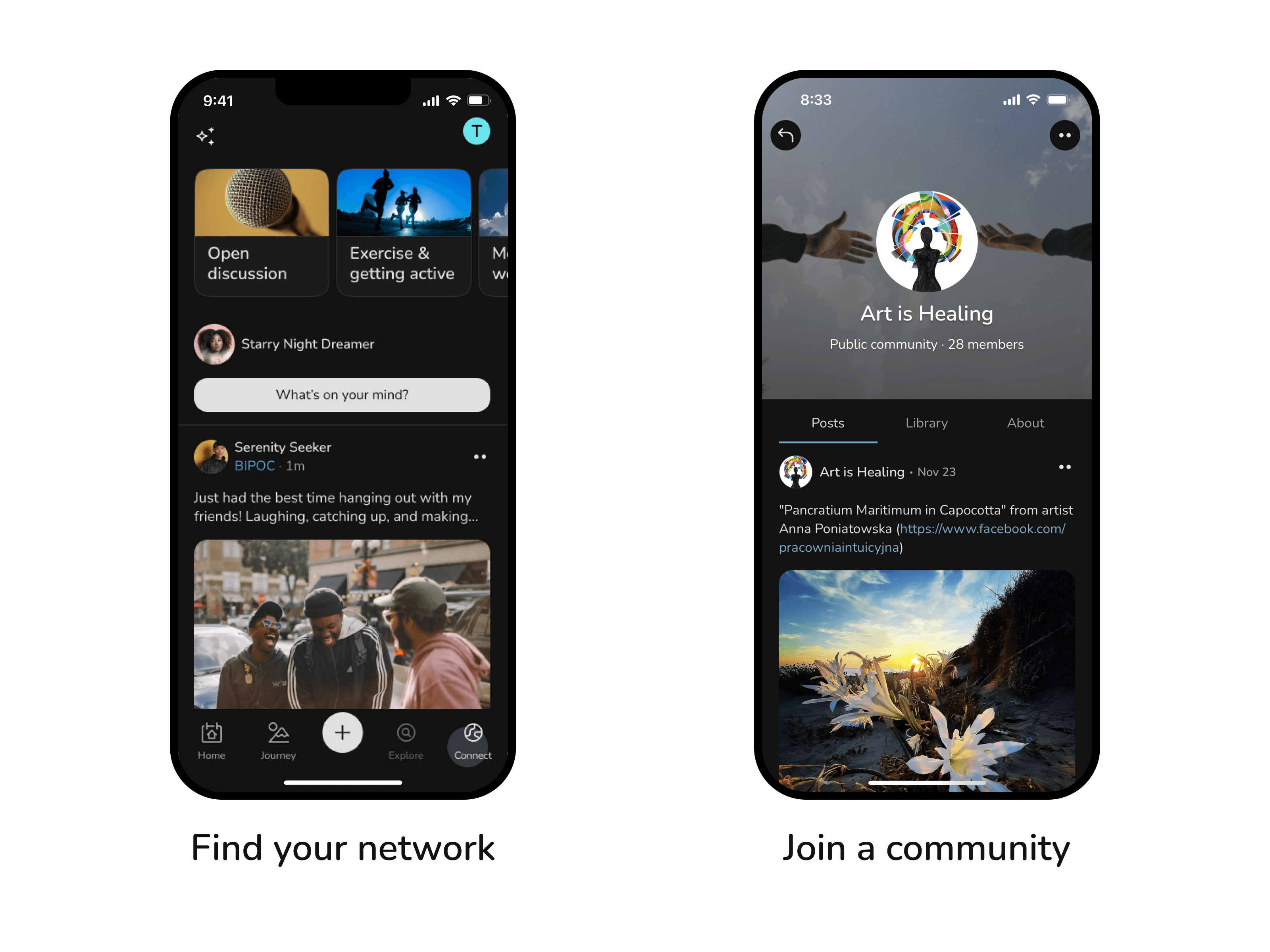
'Connect' allows users to engage with eachother in a safe place through moderated channels focused on a variety of wellness topics and verified community members.
Connect
Participants of our discovery sessions were clear about the following:
- They don’t want it to feel like a popularity contest
- They want to connect with people in similar circumstances as themselves
- they want to feel safe
That’s why one of our primary goals for this design was to discourage the flow of conversation from straying too far away from the subject of the original post.
Some our decisions:
- No @mentions
- Threads limited to 2 levels
- Comment replies thread nested in deeper page
- Sorting is chronological
Joining groups
Connect is divided into two main sections using tabs—Feed and Community.
The Feed tab is our main peer-to-peer network, where users are able to interact with eachover within topical channels.
The Community tab is a collection of public or private not-for-profit partners that provide specific services to the community or a targeted population within the community.
Wellness resources
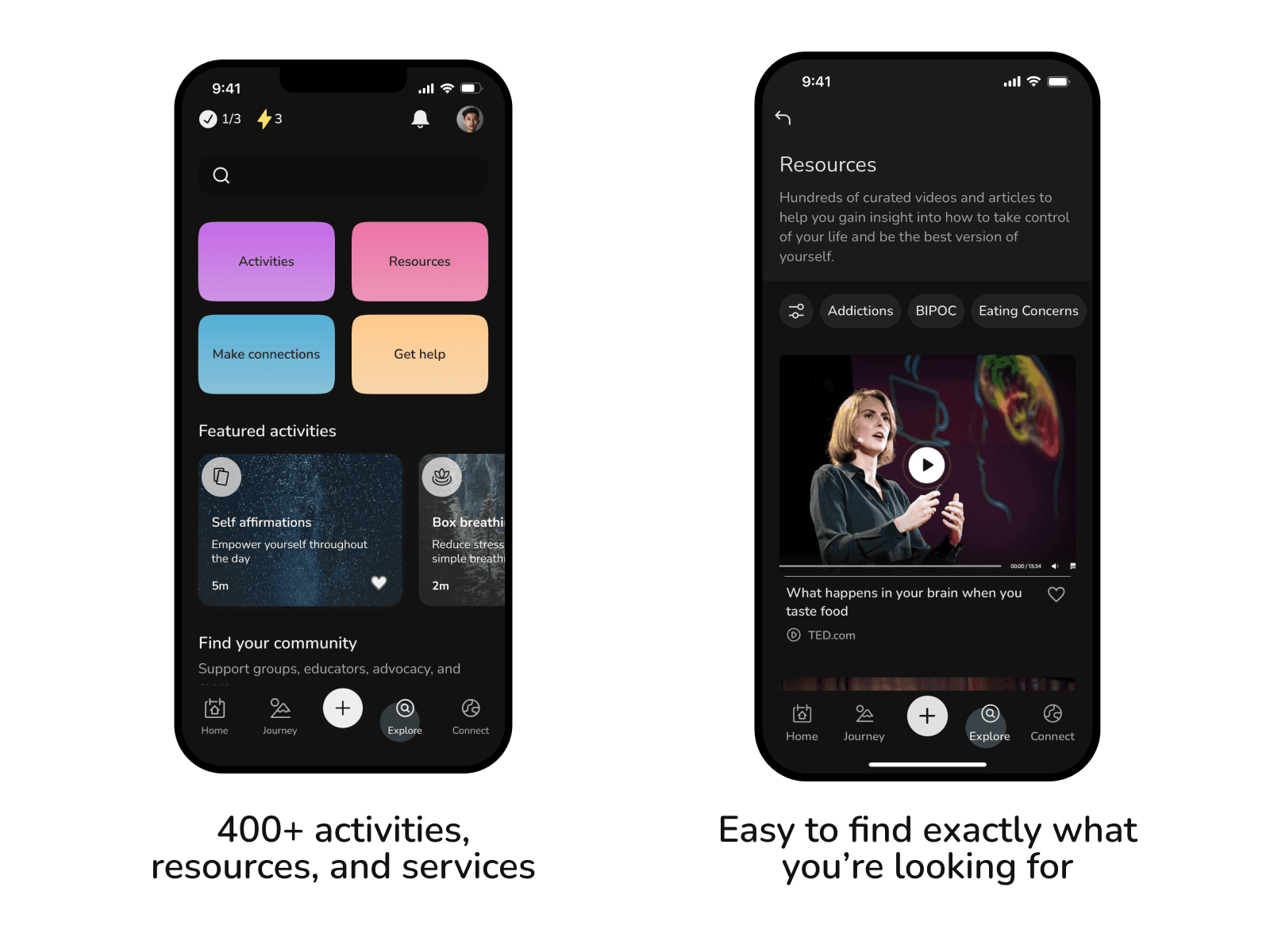 Joining groups
How I helped
User insights and ideation
I used surveys, focus groups, and one-on-one interviews to uncover insights into target user groups. This research was critical in informing concepts for features that address the behaviors and needs of our users.
Prototyping and Usability testing
I created prototypes to visualize concepts for both internal and external testing. This process helped identify and address issues before the final product was built.
Design execution
I produced high-fidelity mock-ups for developer hand offs, each supported with detailed documentation and diagrams to reduce the likelihood of misunderstanding and to improve the overall efficiency, quality and cost effectiveness of the development process.
Details
Internal Interviews
I organized 1-on-1 interviews with each of the founders to learn about their respective goals with the business & product, vision, and target user groups. I wanted to dig deep into what exactly they think we’re building, why we’re building it, and for whom. This was also an opportunity for me to get a handle on our existing research and how they have interpreted it individually.
We held bi-weekly meetings with our (impressive) board of advisors, who's expertise was hugely beneficial to my understanding of the current health system and mental health crisis.
External interviews
Using connections provided by the founders, I was put in touch with a variety of SME’s and stakeholders that could help me understand the needs of our different target user groups and build empathy:
- I conducted 1-on-1 interviews with young patients of the Diabetes Prevention Program at Johns Hopkins Hospital to learn more about their needs as they navigate the health care system for the first time and their information behaviors as they relate to their health and wellness.
- I interviewed clinicians at the Diabetes Prevention Program to learn more about where they struggle with patient-retention and how they track improvement
- I interviewed members of the National Alliance on Mental Illness communications and outreach team to understand where they were falling short in engagement and what admin tools were important to them.
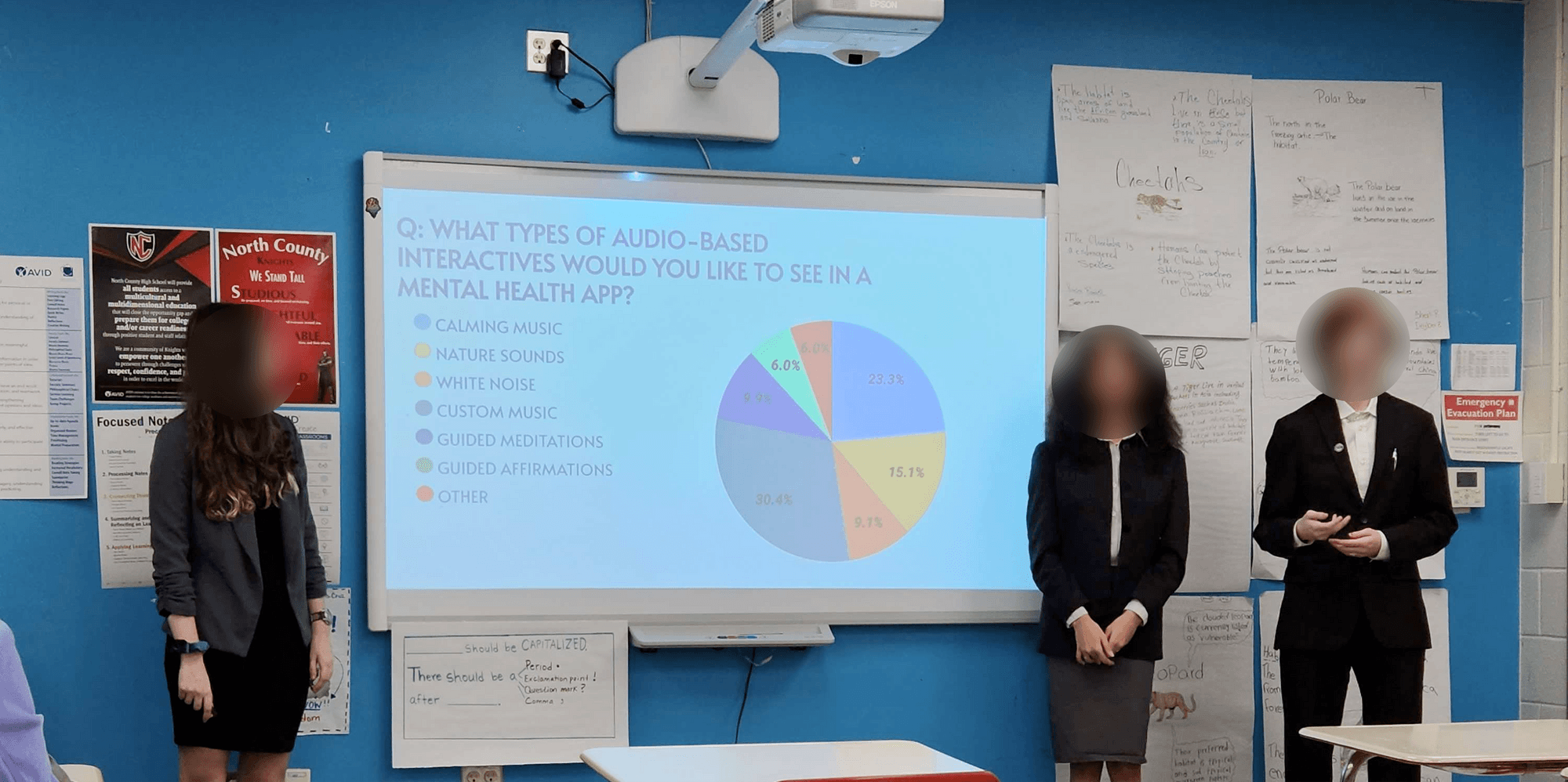
- I facilitated workshops with a group of high school students who interned with us as part of their STEM program’s final project. Leading them through the design thinking process, we tested three feature concepts and gathered tons of great user data from their peers with surveys and prototype testing.
Here’s the high school group giving their final presentation on the work they completed with us!
 Mood Tracking
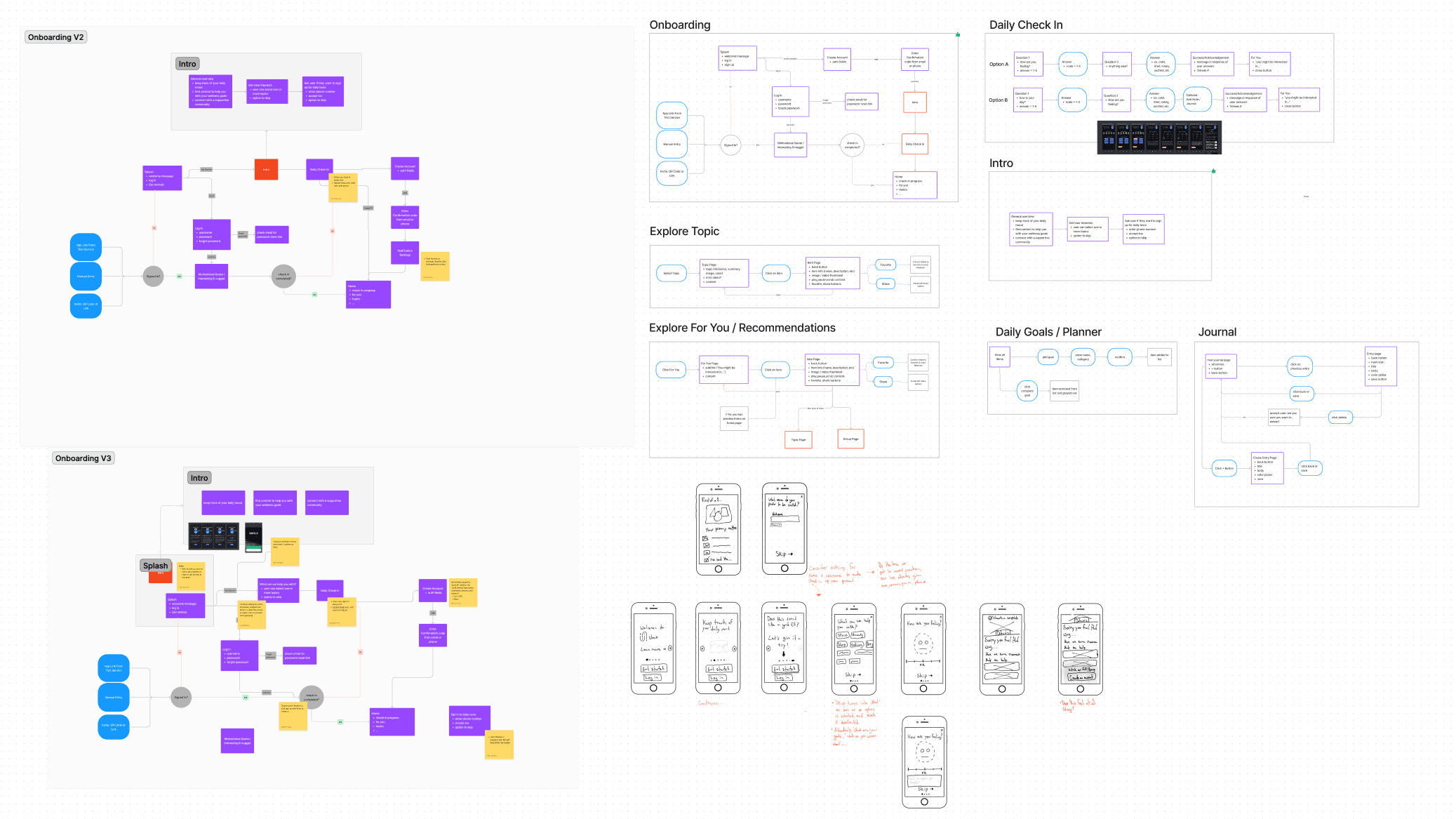
Diagramming & sketching ideas
I’m reminded time and time again of the importance of using diagrams and sketches early in the design process to as way to brainstorm, communicate, and keep a record of ideas.
 Whiteboarding
Continuous testing and feedback
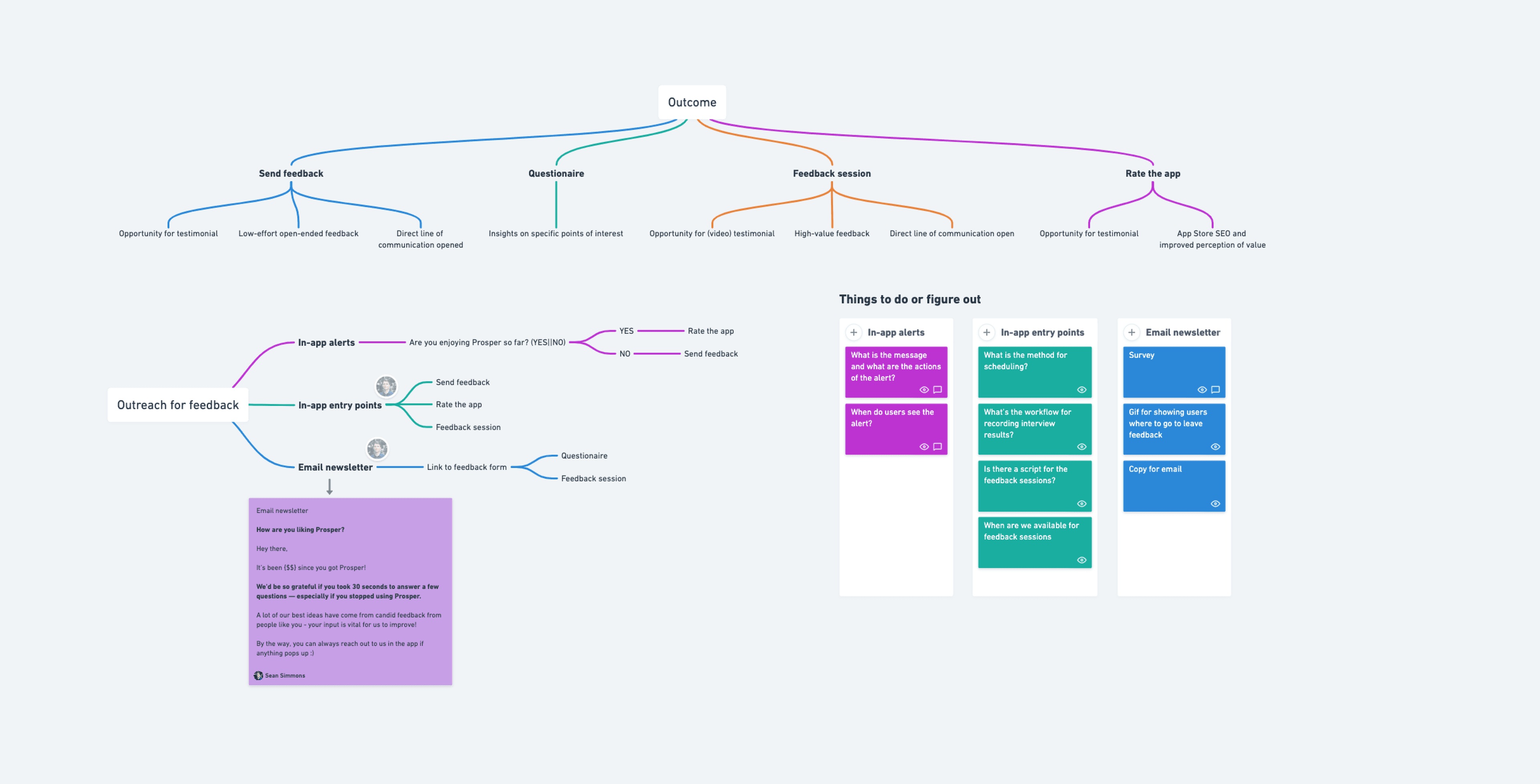
For the most part, my design cycles were about 2 weeks in length, which didn’t leave much time for developing prototypes to be used specifically for testing. Instead, I made outreach to our user groups a part of my workflow and invited input and feedback whenever I could get it.
My strategy:
 Feedback Strategy
- All incoming users receive an email after one week since creating an account. The email welcomes the user and ask them to complete a survey which assessed their satisfaction with the major features of the app
- At the end of the survey, I placed an ask to book a 20 minute feedback session with an open calendar invite
- Every week, I posted the open calendar invite to topical social networks
- Once the app was live, in-app entry points were created for users to leave open feedback and / or book a feedback session using the same calendar invite
- Our App Store review alert directs the user to our feedback page if the user answers ‘No’ to the question of if they’re “enjoying the app so far”.
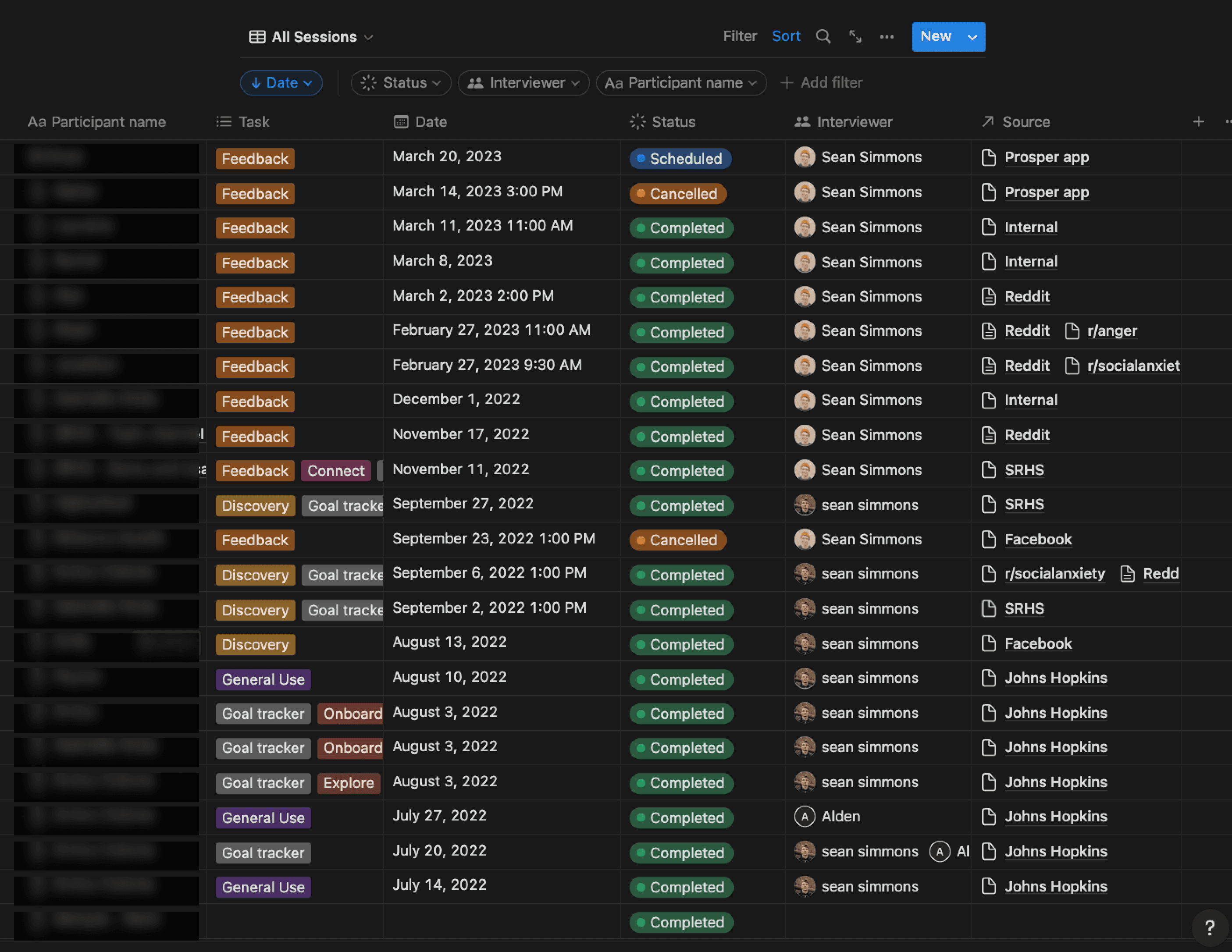 User Sessions
Building Blocks for a Design System
A soon as I could identify an element in a wireframe as being something that could end up on a screen, it became a component. This helped me expedite the process of upscaling wireframes to a version that could be shared, tested, or demoed.
I brought this all the way to the atomic level. A little trick I like to use if icons need to be updated is to cut and paste the incoming icon into the wrapper of the outgoing icon. If the wrapper is saved as a component, all other instances will be updated!
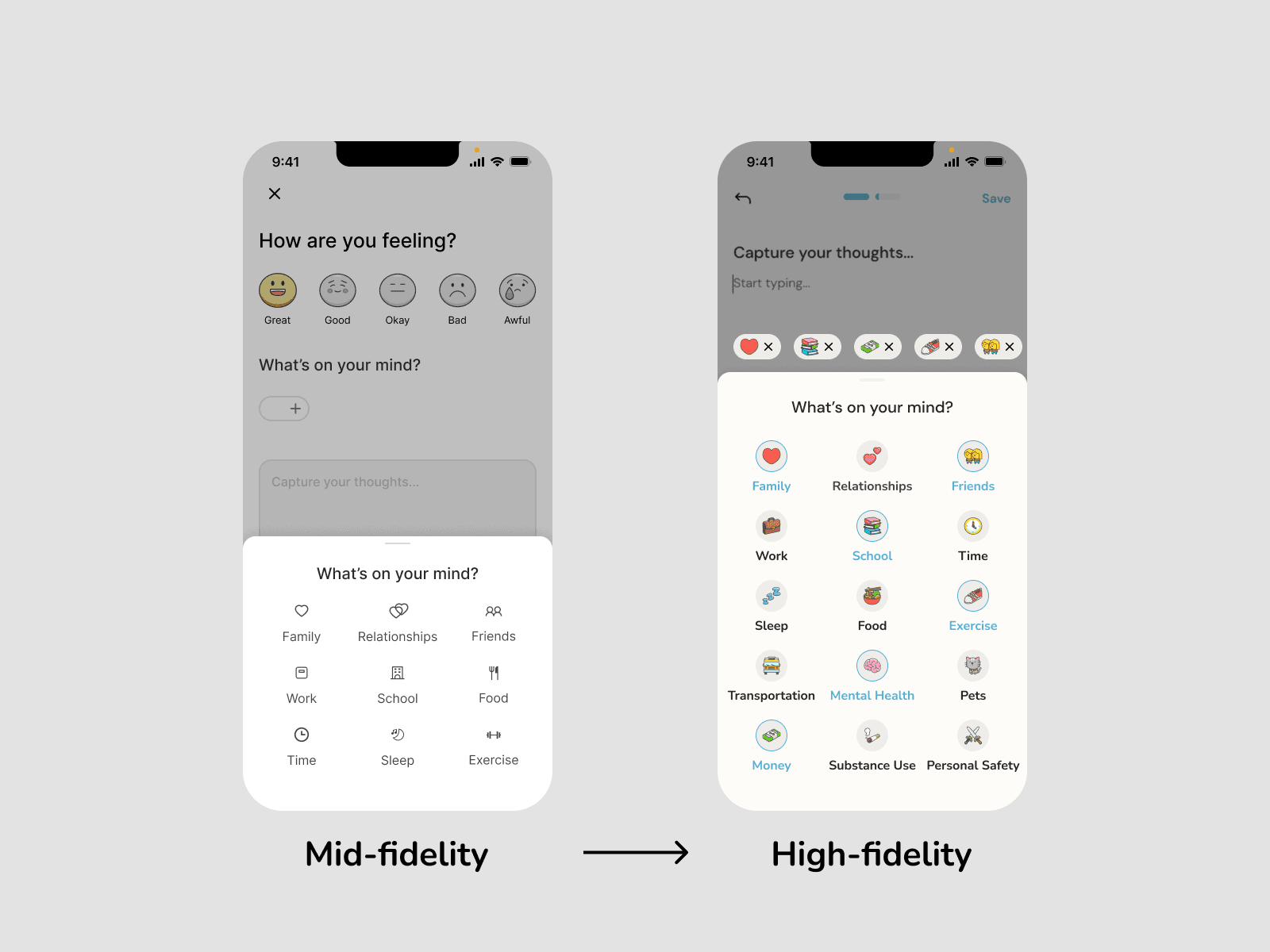 Mid to high-fidelity
The results
Since launching in Early November (the date is March 25th, 2023), Prosper has grown to almost 4000 active accounts and that number is growing steadily and organically. Our channels for for gathering feedback are also becoming increasingly active which has been really gratifying to me because it shows people are excited about the app and want to see it continue to improve.
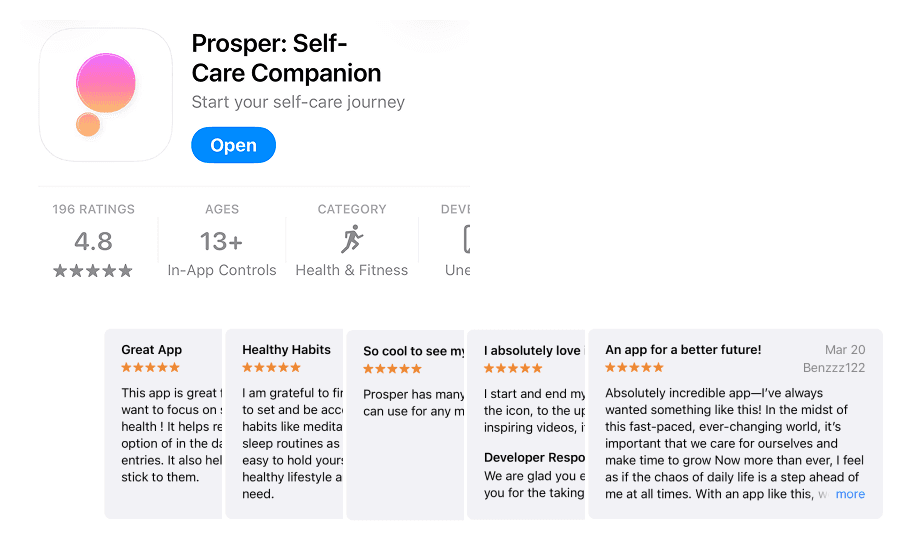 In the App Store
Takeaways
- Be relentless (with myself) in my pursuit for collaboration and feedback. I’m sure something like 90% or more of my biggest Aha! moments came while talking through a problem with another member of the team, doing user interviews or while getting feedback on my designs. Opening yourself up to understanding and empathizing with other perspectives is a tenet of UX.
- Don’t be afraid to have healthy confrontation. Everyone’s contribution is valuable because everyone’s perspective is innately unique. Speak up and be heard; conflict can be productive and will lead to a better product.