Prosper Mood Sharing
I led design from concept through deployment on a new feature for Prosper intended to increase organic growth while remaining aligned its mission of safety, trust, and emotional wellbeing.
Context
Prosper is a mobile app that provides personalized self-care tools, resources, and a social network to support mental health and wellness journeys.
Problem
As Prosper began working in partnership with state and county health and education departments, measuring local impact became critical, but the app lacked mechanisms to drive organic, community-driven growth within those communities.
Project Goals
Prototype features that increase the likelihood of users sharing Prosper within their personal network, within a two-week timeframe.
Key constraints:
- Maintain a safe, positive experience
- Avoid introducing liability or unsafe social behaviors
- Do not add friction to Prosper’s core self-care flows
The Solution
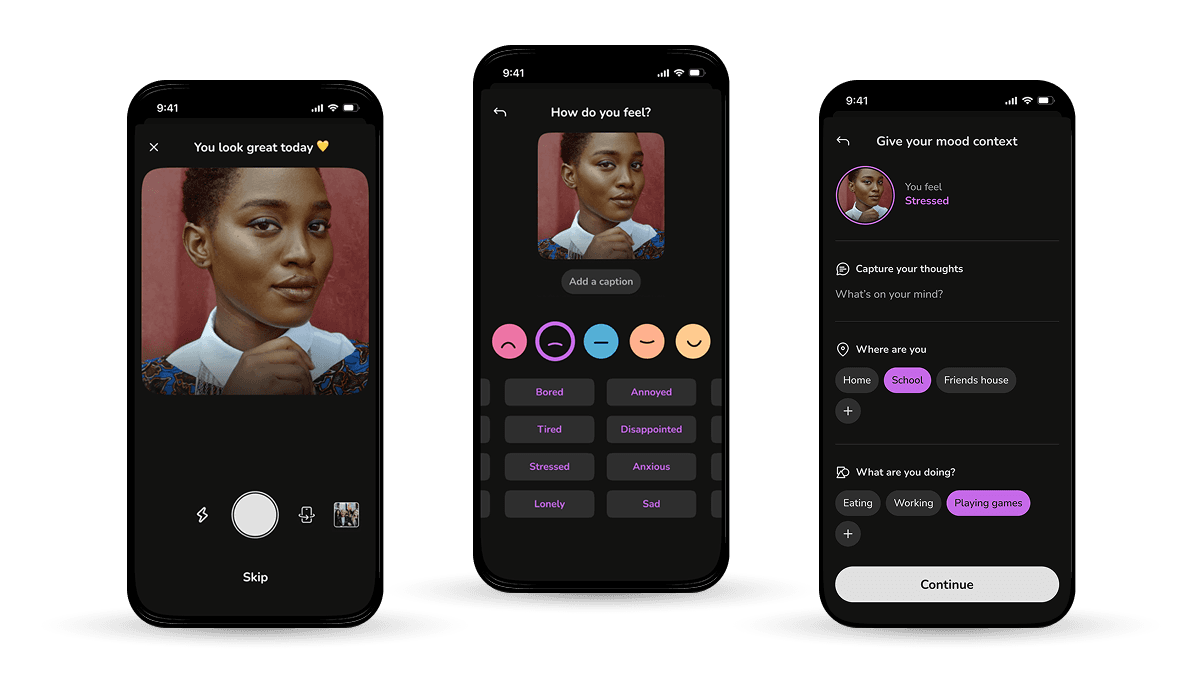
Mood Stories from an Updated Check-in Flow
 Mood check-in
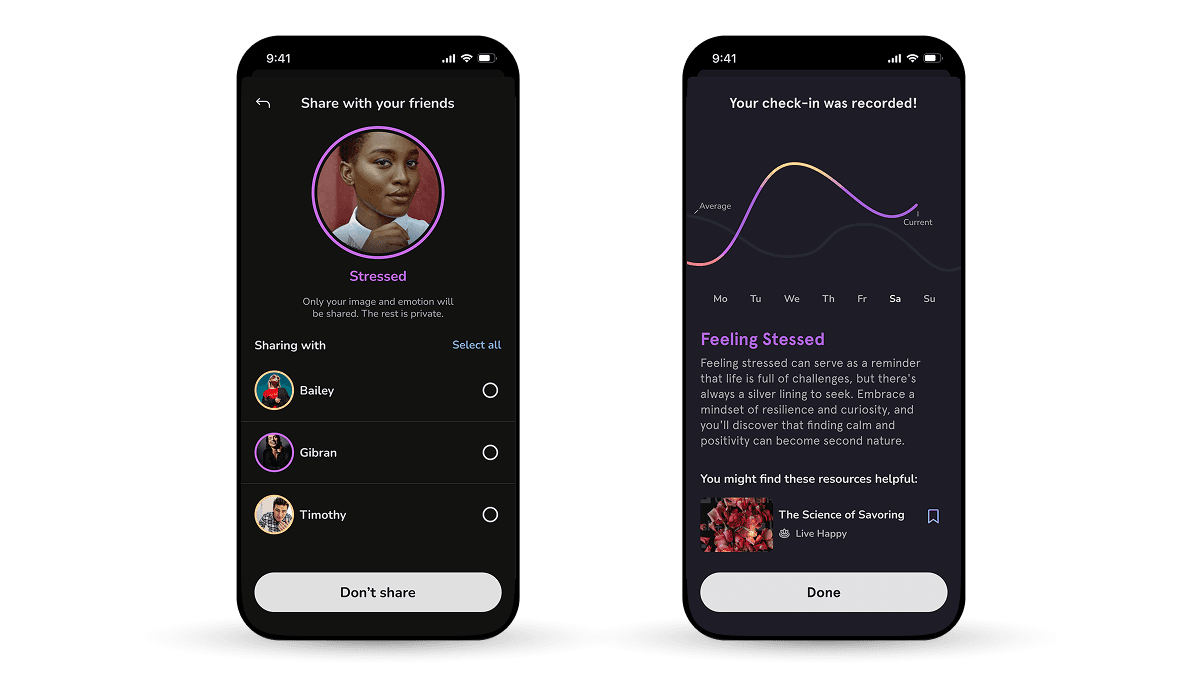
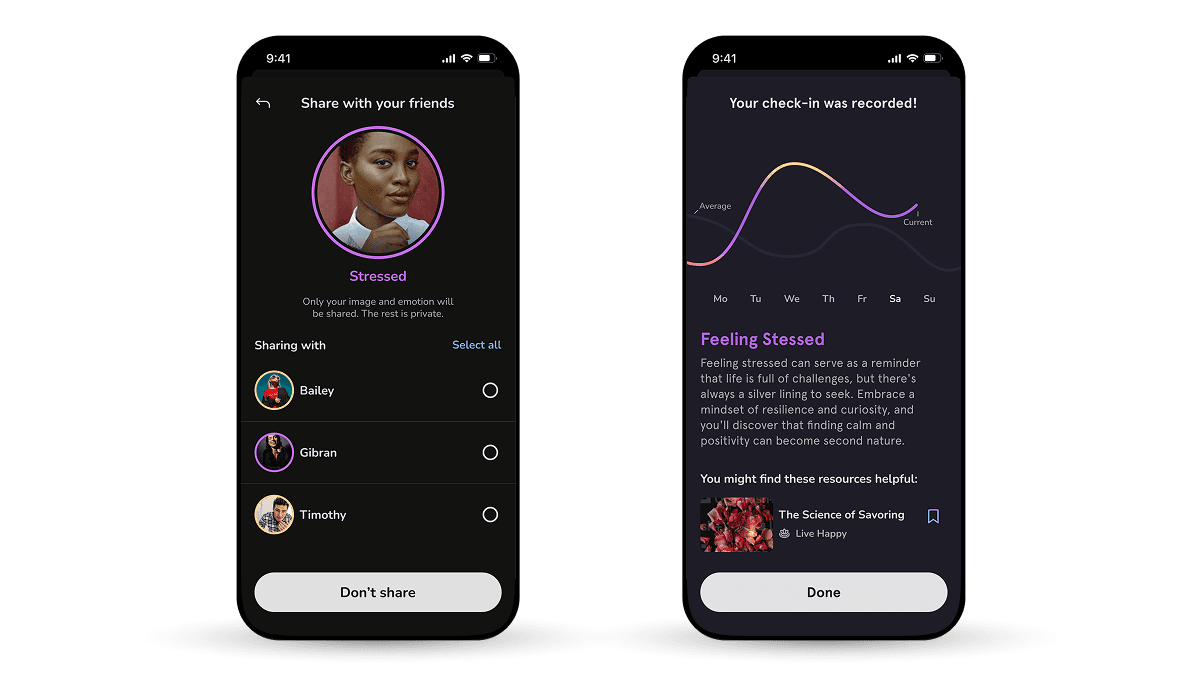 Sharing your mood
Users can:
- Complete a mood check-in as usual
- Choose whether to share that check-in
- Select exactly who to share it with
Only two elements are shared:
- The emotion
- An optional image
All other context remains private, including:
- Journal entries
- Location
- Activity
- Sleep and exercise data
Leading with the selfie camera
From interviews, I learned users are more likely to share their mood if an image was included. This was an update from the previous version, where attaching an image just another field on the “Give your mood context” page.
The unexpected selfie camera also performed really well in tests. It was really fun to see that participants got a genuine feeling of surprise from it, followed by delight :)
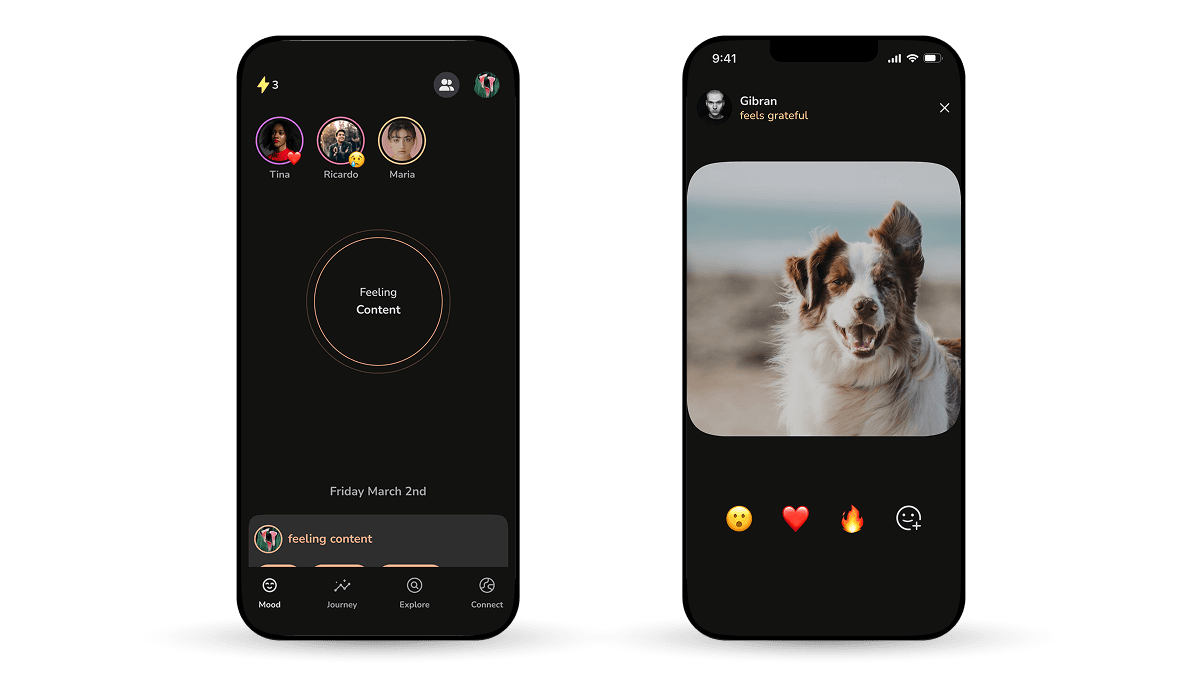
Reactions and managing friends
Stories appear at the top of the home screen and are visible for 24 hours. When selected, the image expands and the user can send a reaction Reactions
The entry point for managing friends just next to your profile settings.
Usability testing revealed strong resistance to contact access, especially for new users. Instead of pulling contacts, you can share your friend code, either verbally with the number itself or tapping the button will pull up a share sheet.
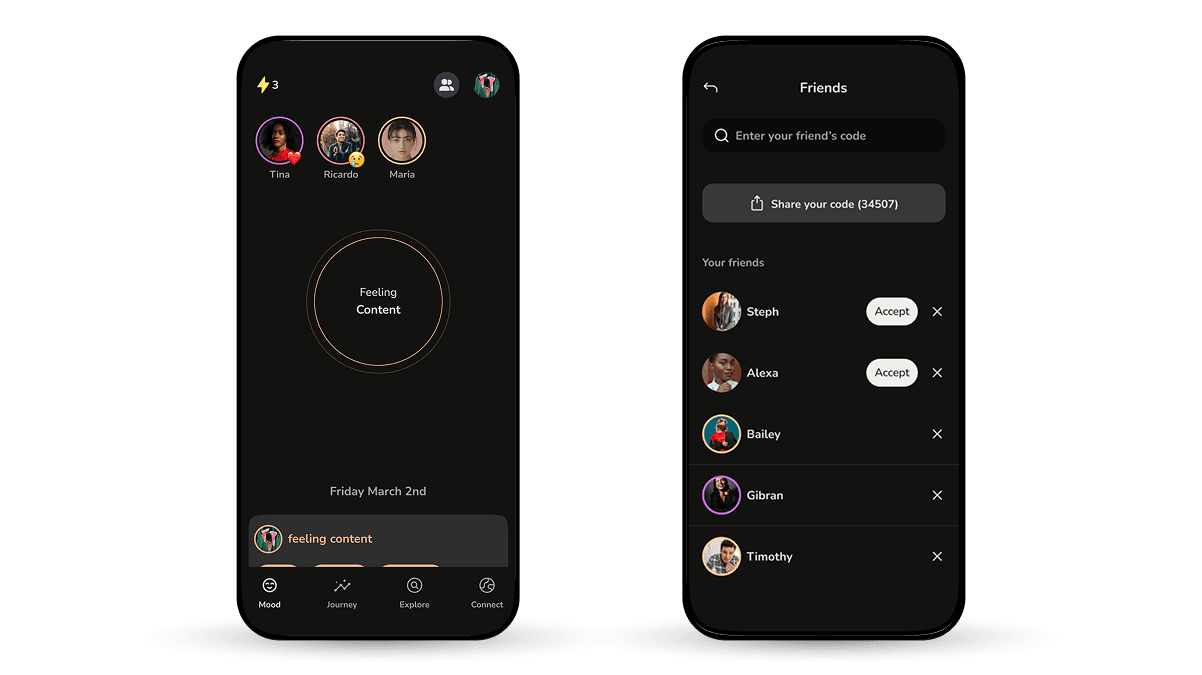 Friends menu
How I helped
Rapid concept exploration
I quickly developed three concepts as possible solutions for our problem. This work helped the team gain a shared understanding of the problem and facilitated important decisions early on about our approach.
User research
I created in-app and email distributed surveys and led 1:1 interviews with active users to gauge sentiment towards our plans to implement more social features.
Interactive prototyping & usability testing
I built interactive Figma prototypes to stress-test the design with the team and led usability testing sessions with non-users using a light-weight coded prototype
Developer handoff
I created comprehensive documentation in Figma to communicate design spec and rationale to the development team.
Details
Initial insight
While reviewing historical feedback, I found a support ticket requesting direct messaging between users. At the time, this felt out of scope. In the context of this project, it became a signal that users wanted more personal, one-to-one connection, not broader social broadcasting.
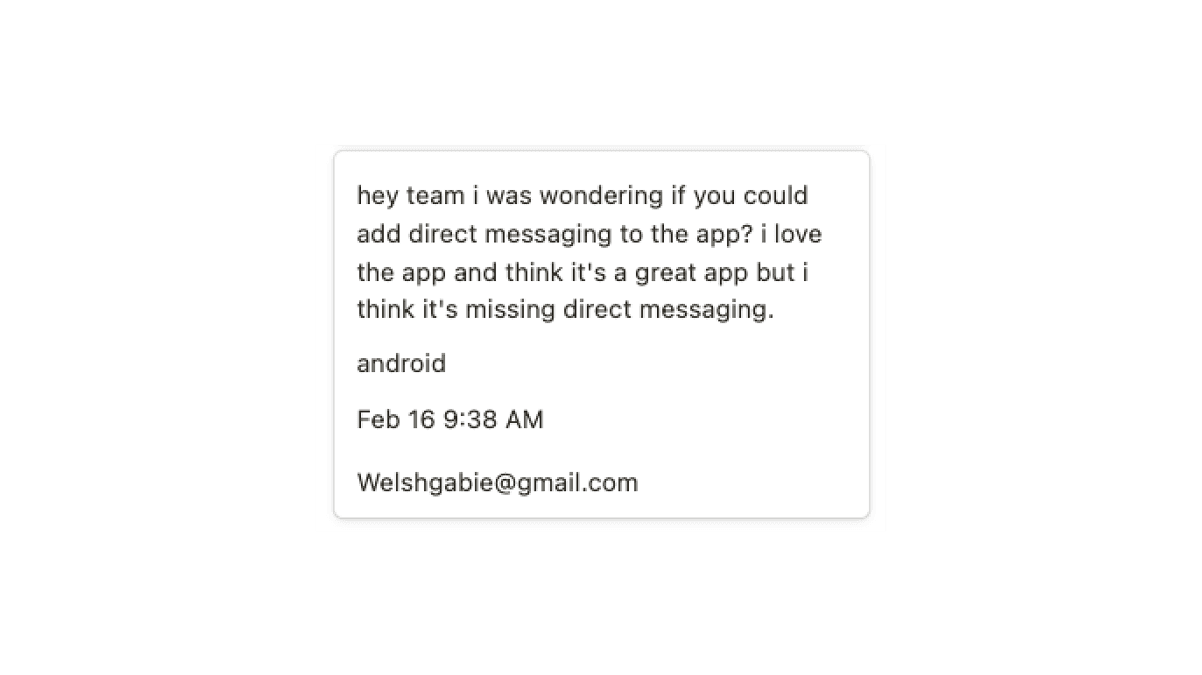 In-app Feedback
This reframed the problem.
Instead of asking:
“How do we make Prosper more social?”
We asked:
How might we help users connect emotionally with people they already trust?
Research question
How might we increase the likelihood that users share Prosper with close friends, while preserving privacy, trust, and emotional safety?
Research methods
- Survey distributed via in-app feed and email newsletter
- Three in-depth user interviews with existing users
Key survey findings
- 74% of respondents want to share their mood
- 90% would only share with close friends
- 68% believe their mental health would benefit from sharing and receiving affirmations
- Mood check-ins are often used as a private journal
- Clarity around what is shared and with whom is critical
Key interview insights
- Not all check-ins are equally private
- Users want granular control over who sees each check-in
- Mood sharing should feel opt-in, not like a default social obligation
- The feature should fade into the background if users choose not to engage
 1:1 User Interviews
The research confirmed that mood sharing was desirable, but only if it was intentional, controlled, and low-pressure.
With no strong negative reactions, I moved into exploration.
Early concepts
I explored three initial directions:
- Friends hub
A centralized place to manage friends and view activity.
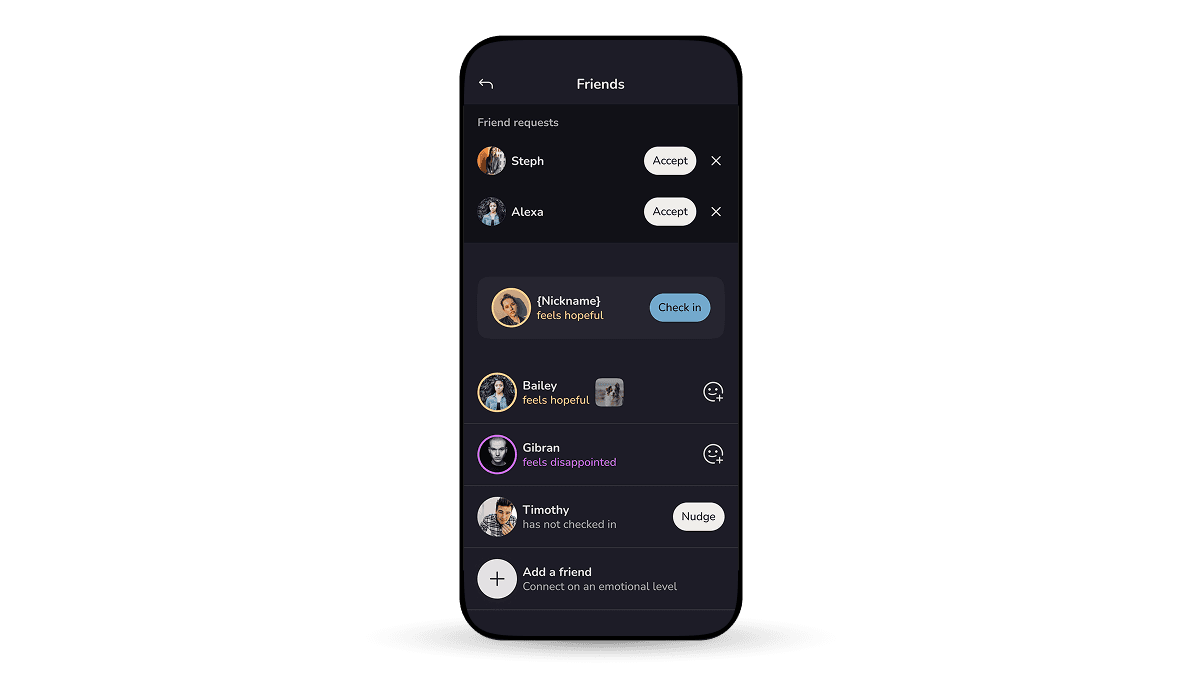 Friends hub
Why we rejected it
We were actively trying to reduce feature silos. A hub risked pulling users away from core flows and felt misaligned with the product direction.
- Reciprocity model
Users would need to check in themselves to view friends’ moods.
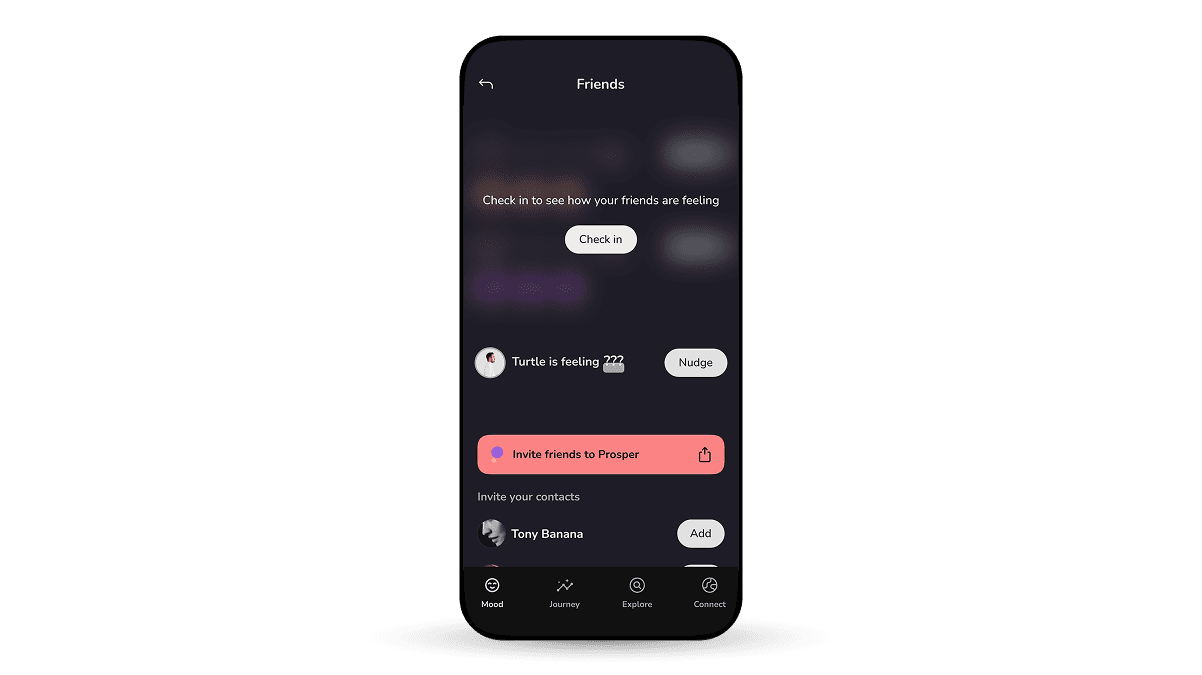 Reciprocity
Why we rejected it
While conceptually interesting, it felt gimmicky and introduced unnecessary state complexity.
- Story-based mood sharing
A familiar, ephemeral pattern inspired by Stories.
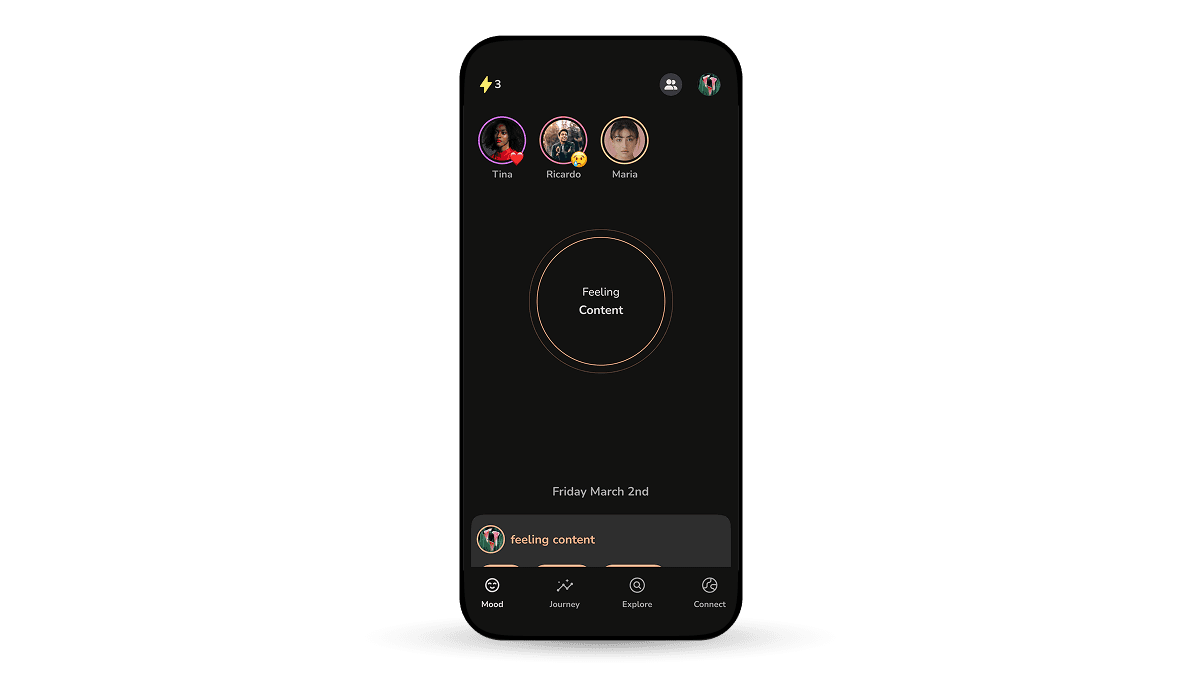 Story-model
Why we chose it
- Familiar mental model
- Matches the fleeting nature of moods
- Keeps social interaction lightweight and time-bound
- Supports privacy through limited visibility
This became the chosen direction.
Usability Testing
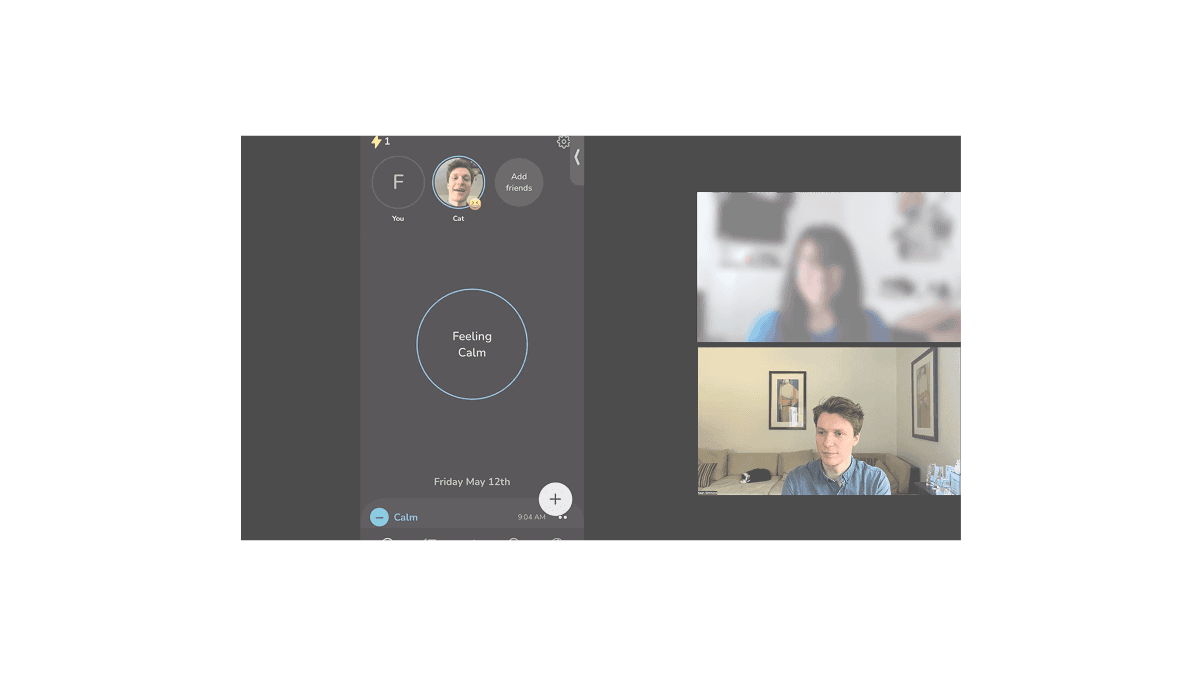 Test session
Participants
- 5 non-existing users
- Recruited via Reddit and Discord communities, and personal networks
Key findings
- No participant shared their first check-in
- Users wanted to build trust with the app before inviting friends
- Surfacing weak-tie contacts created discomfort
- Asking for contact access too early reduced confidence
These findings directly informed the removal of contact syncing and delayed social prompts until after initial trust was established.
Delivery
 Figma Developer Handoff
I handed off:
- Updated mood check-in flow
- Story viewing and reactions
- Friend management screens
- Onboarding logic for introducing friends
The feature shipped and entered beta shortly after.
Impact
30 days after the Mood Stories shipped:
- 14% of new users added a friend within 3 days.
- Weekly check-in rate doubled compared to early March
- 10% of check-ins were shared, with continued growth after launch
While attribution was limited, these metrics strongly indicated increased engagement and social activation.
Final Thoughts
Given the tight timeline, I’m proud of how this feature balanced growth goals with emotional safety.
The biggest success was resisting the urge to over-socialize the experience. By focusing on intentional, one-to-one connection, we created something that felt aligned with Prosper’s mission rather than borrowed from traditional social platforms.